
Opened 16 years ago
Last modified 8 years ago
#232 reopened defect
raster and vector mismatch in monitors
| Reported by: | hcho | Owned by: | |
|---|---|---|---|
| Priority: | major | Milestone: | 6.4.6 |
| Component: | Default | Version: | svn-releasebranch64 |
| Keywords: | display, monitor | Cc: | |
| CPU: | x86-32 | Platform: | Linux |
Description
I used r.to.vect to convert a raster map to vector and displayed both of them on a monitor. When the monitor is in the default size, I can see slight mismatch along the boundaries of the two maps. For example,
d.mon
g.region rast=tmp
d.erase
r.to.vect input=tmp output=tmp feature=area
d.rast tmp
d.vect tmp type=boundary
If I zoom in a lot or make the monitor larger, I don't see this effect. My guess is that conversion between raster and vector was OK, but scaling coordinates (R_scaled_raster or something?) before actually displaying them might cause this problem. In effect, PNG maps exported from the monitor looks so ugly.
I'm attaching two figures (small and large monitors).
Any idea?
Attachments (2)
Change History (7)
by , 16 years ago
comment:2 by , 11 years ago
| Resolution: | → worksforme |
|---|---|
| Status: | new → closed |
This is 5 years old and I cannot reproduce the problem with the wxgui, so closing.
follow-up: 4 comment:3 by , 11 years ago
| Resolution: | worksforme |
|---|---|
| Status: | closed → reopened |
The bug still exists, at least in GRASS 6. Play with "xmag".
Also a similar issue is visible in symbols, but that's different, this one is to do with d.vect.
Hamish
comment:4 by , 11 years ago
| Milestone: | 7.0.0 → 6.4.4 |
|---|---|
| Version: | svn-trunk → svn-releasebranch64 |
Replying to hamish:
The bug still exists, at least in GRASS 6. Play with "xmag".
Ok, I can see it in GRASS 6 release, but not in 7. Can you reproduce it in 7 ?
I'm changing the milestone and version of this bug to better reflect where the issue is.
comment:5 by , 8 years ago
| Milestone: | 6.4.4 → 6.4.6 |
|---|


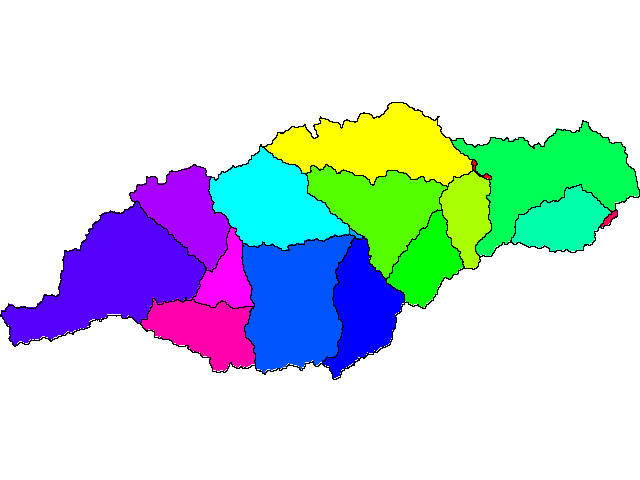

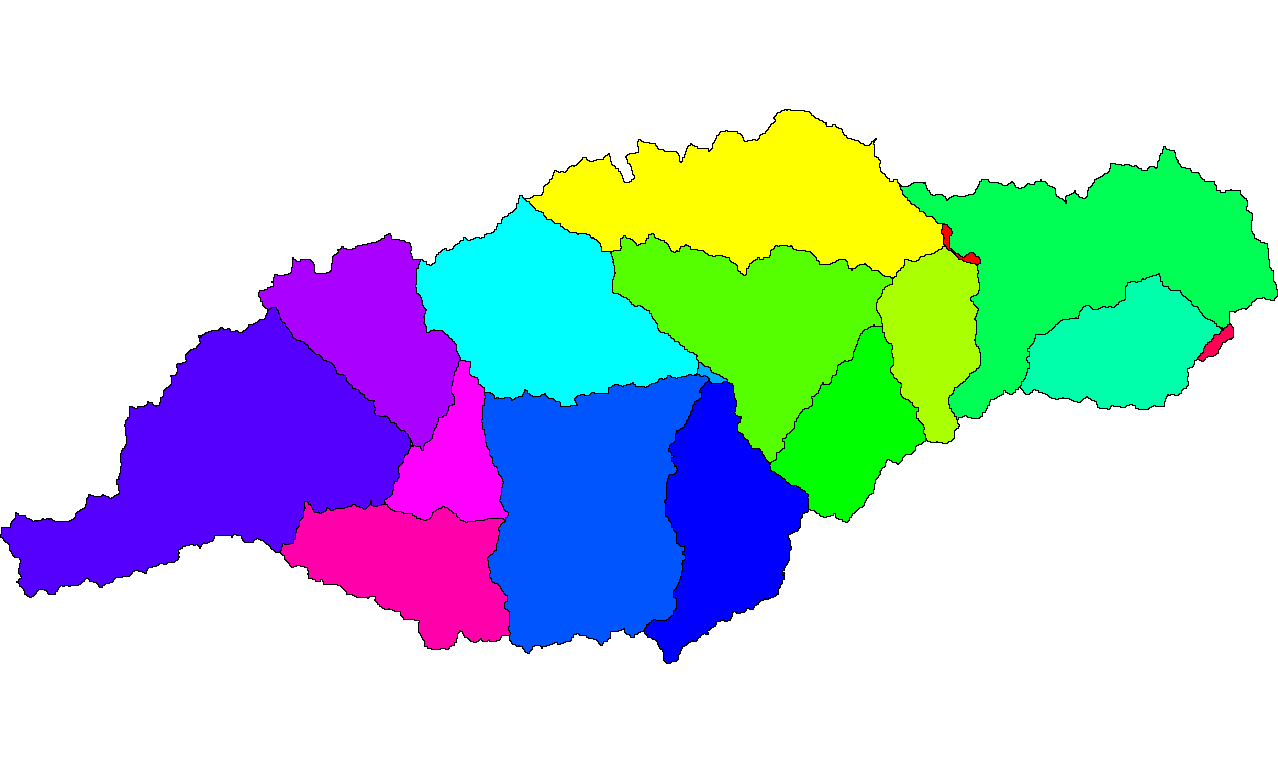
default monitor