
Opened 13 years ago
Closed 10 years ago
#1428 closed defect (fixed)
WinGRASS + how to deliver Microsoft Visual C++ Redistributable Package (vcredist)?
| Reported by: | dhastings | Owned by: | |
|---|---|---|---|
| Priority: | major | Milestone: | 6.4.3 |
| Component: | Installation | Version: | 6.4.3 RCs |
| Keywords: | wingrass | Cc: | |
| CPU: | x86-64 | Platform: | MSWindows 7 |
Description
When one tries to start recently downloaded WinGRASS6.4.1 immediately after installation, it fails. Messages complain that files msvcr71.dll and msvcp71.dll are missing. Finding those files in my WinGRASS6.4, and copying them to the 6.4.1 installation, solved the problem for me.
Suggestion - confirm that these two files are missing from the 6.4.1 WinGRASS installation. If so, add them. If not, why did they not get properly placed in my installation (tried twice)?
This should not await a new version, but should be easy to rectify, so should be fixed now in the current installation of WinGRASS6.4.1
Attachments (5)
Change History (77)
by , 13 years ago
| Attachment: | DescriptionOfProblem.odt added |
|---|
comment:1 by , 13 years ago
Hi,
this is a FAQ, typically only seen on a rather new machine. The C runtime libraries you are missing come from Microsoft, you have to download them from them.
do the files actually exist on you system? if so does the fix in #1354 fix things for you?
if not you can download it from Microsoft's site (do a web search for it) or from http://www.dll-files.com/dllindex/dll-files.shtml?msvcp71
see also http://pcsupport.about.com/od/findbyerrormessage/a/msvcp71-dll-not-found-missing-error.htm
Hamish
comment:2 by , 12 years ago
| Keywords: | wingrass added; WinGRASS6.4.1 installation completes but does not run removed |
|---|---|
| Milestone: | → 6.4.2 |
| Priority: | blocker → critical |
| Version: | → 6.4.1 |
follow-ups: 4 5 comment:3 by , 12 years ago
I had this issue on Windows 7 64bit
This page has an excellent explanation: http://stackoverflow.com/questions/1596167/where-to-download-microsoft-visual-c-2003-redistributable
Based on that information, I installed the three packages associated with .NET Framework 1.1: http://msdn.microsoft.com/en-us/netframework/aa569264 (install from bottom up)
Grass 6.4.1 immediately started without the issue, no restart required.
I'm guessing a Python version earlier than 2.6 is being used. If you upgrade the version of Python you are using, you might change the dependency to a newer dll which is more likely to already be included on a newer machine...but then XP users might require a newer service pack.
It is unfortunate you can't distribute the dll. A random thought...if you accept the license agreement for visual C++ express, which is free, would you be able to distribute it? I'm assuming you need a licensed copy of Visual Studio (or free express version!) to redistribute.
comment:4 by , 12 years ago
Replying to majgis:
It is unfortunate you can't distribute the dll. A random thought...if you accept the license agreement for visual C++ express, which is free, would you be able to distribute it? I'm assuming you need a licensed copy of Visual Studio (or free express version!) to redistribute.
see http://www.gnu.org/licenses/gpl-faq.html#WindowsRuntimeAndGPL
The GPLv2 states:
The source code for a work means the preferred form of the work for
making modifications to it.  For an executable work, complete source
code means all the source code for all modules it contains, plus any
associated interface definition files, plus the scripts used to
control compilation and installation of the executable.  However, as a
special exception, the source code distributed need not include
anything that is normally distributed (in either source or binary
form) with the major components (compiler, kernel, and so on) of the
operating system on which the executable runs, unless that component
itself accompanies the executable.
The GPLv3 is more explicit about this, and the above FAQ doesn't make it clear which version it is talking about (but in general gnu.org defaults to talking about v3); we use GPL version 2.
summary: we can distribute binaries that need the library, but we can't distribute the library, and the best we can do is have the installer test for it and offer installation suggestions. (and/or easy to follow wiki instructions on where to get it and how to install it)
add to that the fact that I'm really not sure which of the many support libraries requires the dll. (it seems to change as osgeo4w evolves)
Hamish
comment:5 by , 12 years ago
Replying to majgis:
Based on that information, I installed the three packages associated with .NET Framework 1.1: http://msdn.microsoft.com/en-us/netframework/aa569264 (install from bottom up)
that's version 1 of the installer, there are also more recent versions 2, 3, 3.5, and 4. Which one should we recommend?
Hamish
follow-up: 9 comment:6 by , 12 years ago
I suspect .NET 1.1 is the only version to include the msvcr71.dll.
From that stackoverflow link: "The Visual C++ 2003 runtime was not available as a seperate download because it was included with the .NET 1.1 runtime."
The dependency for msvcr71.dll is coming from the Python version being used. I had this same issue when I used py2exe with a Python/Qt project.
When you upgrade the version of Python you are using, you will change your dependency to a newer version of the VC++ runtime and then it will start asking for msvcr90.dll or the like. Keep focus on version of runtime, the version you are currently using just happened to be packaged with .net 1.1, in the future you might depend on one of the following: http://www.microsoft.com/download/en/details.aspx?displaylang=en&id=29 http://www.microsoft.com/download/en/details.aspx?id=5555
I have created a stackoverflow question to get a handle on these dependencies: http://stackoverflow.com/questions/9047072/windows-python-version-and-vc-redistributable-version
Another random thought...what if the installer looked for required redistributable-version on system, notified the user if it is missing, and gave the option to trigger remote download and install from Microsoft ...then everything is done after launching a single executable, making wingrass more accessible for noobs. I'm assuming facilitating download and install of dependent package hosted by microsoft would not break gnu license.
I'd love to help out: majgis <at> gmail <dot> com
comment:7 by , 12 years ago
Here is the result of the question asked on stackoverflow.com:
xxxxxxxxxxxxxxxxxxxxxxxxxxxxxxxx
- Windows Python Version
- DLL Name
- VC++ Redistributable
- Link to installer
xxxxxxxxxxxxxxx
- 2.4, 2.5,
- msvcr71.dll, msvcp71.dll
- Microsoft Visual C++ 2003 (7.1), included with .net 1.1
- http://msdn.microsoft.com/en-us/netframework/aa569264
xxxxxxxxxxxxxxxx
- 2.6, 2.7, 3.0, 3.1, 3.2
- msvcr90.dll, msvcp90.dll
- Microsoft Visual C++ 2008 Redistibutable Package
- http://www.microsoft.com/download/en/details.aspx?displaylang=en&id=29
xxxxxxxxxxxxxxxxxxxxxxxxxxxxxxxx
comment:8 by , 12 years ago
Same as previous response with WikiFormatting:
| Windows Python Version | DLL Name | VC++ Redistributable |
| 2.4, 2.5 | msvcr71.dll, msvcp71.dll | MS VC++ 2003 (.net 1.1) |
| 2.6, 2.7, 3.0, 3.1, 3.2 | msvcr90.dll, msvcp90.dll | MS VC++ 2008 |
comment:9 by , 12 years ago
Replying to majgis:
I suspect .NET 1.1 is the only version to include the msvcr71.dll.
fwiw, http://msdn.microsoft.com/library/ms171868.aspx "The .NET Framework 4 is highly compatible with applications that are built with earlier .NET Framework versions, except for some changes that were made to improve security, standards compliance, correctness, reliability, and performance."
(shrug)
The dependency for msvcr71.dll is coming from the Python version being used.
AFAIK that is currently being migrated to python 2.7 (I think it has already happened since the nightly build installer size jumped by ~8mb in the last week), so we'll wait a few days and see what it complains about.
Another random thought...what if the installer looked for required redistributable-version on system,
the best test is to have the installer run a little test program and catch & present any error along with advice.
notified the user if it is missing,
even if a test program caught the error, sometimes it is not very specific about the cause (e.g. when it quits with just [Error 14001]) and you just have to "know" that installing the extra dlls fixes it.
Since osgeo4w is a moving target, if we hard-code in the missing dll and its download URL we could always be one step behind.. (shrug)
and gave the option to trigger remote download and install from Microsoft ...then everything is done after launching a single executable, making wingrass more accessible for noobs. I'm assuming facilitating download and install of dependent package hosted by microsoft would not break gnu license.
or at least open up a web browser to the appropriate MS page with the "install now" button on it.
thanks, Hamish
comment:10 by , 12 years ago
fwiw, http://msdn.microsoft.com/library/ms171868.aspx "The .NET Framework 4 is highly compatible with applications that are built with earlier .NET Framework versions, except for some changes that were made to improve security, standards compliance, correctness, reliability, and performance."
From what I remember, .net 1.x and 2.x-beyond was a fundamental shift, but I'm shooting from the hip here. Also, these dlls are not part of the .Net framework, so it makes sense that microsoft would make a change to provide them as part of a separate redistributable package, another guess.
even if a test program caught the error, sometimes it is not very specific about the cause (e.g. when it quits with just [Error 14001]) and you just have to "know" that installing the extra dlls fixes it. Since osgeo4w is a moving target, if we hard-code in the missing dll and its download URL we could always be one step behind.. (shrug)
There should never be an error. We now know what redistributable package is required, during installation you can peek at the registry, if it isn't there, you provide messages or option to download.
follow-up: 12 comment:11 by , 12 years ago
Do you include (and install) the osgo4w msvcrt package?
It contains the runtime libraries for VC 6.0, 7.0/2002, 7.1/2003 and the installers for the DLLs and assemblies for 8/2005, 9/2008 and 10.0/2010.
follow-up: 13 comment:12 by , 12 years ago
Replying to jef:
Do you include (and install) the osgo4w msvcrt package? It contains the runtime libraries for VC 6.0, 7.0/2002, 7.1/2003 and the installers for the DLLs and assemblies for 8/2005, 9/2008 and 10.0/2010.
No GPL software can bundle that, but it is another good option to point users to so that they can install it on their own.
GPL2:
However, as a special exception, the source code distributed need
not include anything that is normally distributed (in either source
or binary form) with the major components (compiler, kernel, and so
on) of the operating system on which the executable runs, unless
that component itself accompanies the executable.
GNU GPL faq:
the GPL says that libraries can only qualify as System Libraries as
long as they're not distributed with the program itself. If you
distribute the DLLs with the program, they won't be eligible for
this exception anymore; then the only way to comply with the GPL
would be to provide their source code, which you are unable to do.
Replying to majgis:
We now know what redistributable package is required,
msvcr90.dll since the move to python 2.7? (has that happened yet?)
during installation you can peek at the registry, if it isn't there, you provide messages or option to download.
sounds reasonable.
Hamish
comment:13 by , 12 years ago
Replying to hamish:
during installation you can peek at the registry, if it isn't there, you provide messages or option to download.
sounds reasonable.
here in my winvista-box the related (?) registry entry seems to be:
Windows Registry Editor Version 5.00

[HKEY_LOCAL_MACHINE\COMPONENTS\DerivedData\Components\x86_microsoft.vc90.crt_1fc8b3b9a1e18e3b_9.0.21022.218_none_34f1b3a4277681aa]
"S256H"=hex:cd,77,e2,c0,37,42,54,cc,63,81,ac,81,04,b3,3d,e7,e4,57,d9,c8,e1,df,\
  20,d8,51,f8,d5,6c,a9,27,c1,d3
"identity"=hex:4d,69,63,72,6f,73,6f,66,74,2e,56,43,39,30,2e,43,52,54,2c,20,43,\
  75,6c,74,75,72,65,3d,6e,65,75,74,72,61,6c,2c,20,54,79,70,65,3d,77,69,6e,33,\
  32,2c,20,56,65,72,73,69,6f,6e,3d,39,2e,30,2e,32,31,30,32,32,2e,32,31,38,2c,\
  20,50,75,62,6c,69,63,4b,65,79,54,6f,6b,65,6e,3d,31,66,63,38,62,33,62,39,61,\
  31,65,31,38,65,33,62,2c,20,50,72,6f,63,65,73,73,6f,72,41,72,63,68,69,74,65,\
  63,74,75,72,65,3d,78,38,36
"f!msvcr90.dll"=hex:6d,00,73,00,76,00,63,00,72,00,39,00,30,00,2e,00,64,00,6c,\
  00,6c,00
"f!msvcp90.dll"=hex:6d,00,73,00,76,00,63,00,70,00,39,00,30,00,2e,00,64,00,6c,\
  00,6c,00
"f!msvcm90.dll"=hex:6d,00,73,00,76,00,63,00,6d,00,39,00,30,00,2e,00,64,00,6c,\
  00,6c,00
"ClosureFlags"=dword:00000003
"c!microsoft.vc90.crt_1fc8b3b9a1e18e3b_9.0.21022.218_34f1b3a4277681aa"=hex:
any idea which of these entries should be checked best by the wingrass-installer?
Helmut
follow-up: 15 comment:14 by , 12 years ago
current nightly builds of 6.4svn and 6.5svn (didn't try 7svn) ship MS's redistributibles in $GISBASE/extralib. As noted in comment:12, that is not allowed; they must be installed separately.
Hamish
follow-up: 16 comment:15 by , 12 years ago
Replying to hamish:
current nightly builds of 6.4svn and 6.5svn (didn't try 7svn) ship MS's redistributibles in $GISBASE/extralib. As noted in comment:12, that is not allowed; they must be installed separately.
here on my winvista-box:
C:\Program Files\GRASS 7.0.svn\extralib
[...]
msvcp60.dll
msvcp70.dll
msvcp71.dll
msvcr71.dll
msvcrt.dll
these files should be dropped within standalone-wingrass ?
Helmut
comment:16 by , 12 years ago
Replying to hellik:
here on my winvista-box:
C:\Program Files\GRASS 7.0.svn\extralib
[...]
msvcp60.dll
msvcp70.dll
msvcp71.dll
msvcr71.dll
msvcrt.dll
these files should be dropped within standalone-wingrass ?
Correct; we are not allowed to redistribute them as an embedded part of our installer.
thanks, Hamish
follow-ups: 18 20 comment:17 by , 12 years ago
some observations after moving away $GISBASE/extrabase/ms*.dll:
startup complaint on XP is against just msvcr71.dll. (or msvcrp71.dll? off the top of my head can't recall exactly) Other complaints may happen later, but that's the only one I saw before it quit.
installing the .net framework 4 does not supply that dll afaict. installing the .net framework 3.5 does not supply that dll afaict. (as expected, see table by majgis in comment:8)
with 3.5 and 4 frameworks installed, earlier framework packages won't install claiming a newer version is already there. But maybe they help Windows7 users..? we can't predict if a user has already installed one of the newer frameworks packages independently or not, so we can only say to try one of the older ones and hope for the best, or try another source from a web search and put it into C:\Windows\system32\ manually.
the 3rd party websites offering direct downloads of the .dlls all seem a bit shady to me, trying to get you to install some of their software instead of just the dll you want. so I don't like to recommend any specific site that isn't MS's or osgeo4w for the dll download as official advice.
maybe there could be a standalone osgeo4w package supplying the redistributable dlls listed in comment:15 to somewhere in the PATH? (where does the osgo4w msvcrt package suggested by jef end up?)
any clues on how to implement the registry checks (see comment:13) in the installer?
How does qgis deal with it these days? I know this used to be an issue for them too.
I'm not calling this ticket a blocker as it isn't blocking the source code release of 6.4.2 or binary installers on the other platforms.
thanks, Hamish
comment:18 by , 12 years ago
Replying to hamish:
startup complaint on XP is against just msvcr71.dll. (or msvcrp71.dll? off the top of my head can't recall exactly) Other complaints may happen later, but that's the only one I saw before it quit.
msvcr71.dll can be anywhere in PATH. The DLLs for 8.0 and 9.0 need to installed. The end up somewhere in %WINDIR%\winsxs with assembly entries in the registry.
installing the .net framework 4 does not supply that dll afaict. installing the .net framework 3.5 does not supply that dll afaict. (as expected, see table by majgis in comment:8)
The .net frameworks might contain the DLLs too, but msvcrt package just contains the C++ redistributable packages (just extract the tar and checkout the postinstall.bat).
maybe there could be a standalone osgeo4w package supplying the redistributable dlls listed in comment:15 to somewhere in the PATH? (where does the osgo4w msvcrt package suggested by jef end up?)
How does qgis deal with it these days? I know this used to be an issue for them too.
It just installs the msvcrt package - the QGIS standalone installer just extracts the OSGeo4W packages and runs the postinstall scripts on installation (see http://hub.qgis.org/projects/quantum-gis/repository/revisions/master/changes/ms-windows/osgeo4w/creatensis.pl for details).
follow-up: 21 comment:19 by , 12 years ago
Direct link: http://hub.qgis.org/projects/quantum-gis/repository/revisions/master/entry/ms-windows/osgeo4w/creatensis.pl
The GRASS NSIS installer could also download the msvcrt package on installation, untar it and run the postinstall.bat.
comment:20 by , 12 years ago
Replying to hamish:
any clues on how to implement the registry checks (see comment:13) in the installer?
there is already a lot of registry logic in the wingrass-installer, see i.e.
so if it's known for what to search in the registry (differences betweenwinvista and win 7 ?), it should be possible to check this during wingrass-installation.
Helmut
follow-up: 29 comment:21 by , 12 years ago
Replying to jef:
Direct link: http://hub.qgis.org/projects/quantum-gis/repository/revisions/master/entry/ms-windows/osgeo4w/creatensis.pl
The GRASS NSIS installer could also download the msvcrt package on installation, untar it and run the postinstall.bat.
the related osgeo4w-msvcrt-package is downloadable from here: http://download.osgeo.org/osgeo4w/release/msvcrt/
Helmut
follow-up: 25 comment:23 by , 12 years ago
| Priority: | critical → blocker |
|---|
Changed to blocker as the current binaries are in clear violation and must be fixed ASAP. We can't go on ignoring this forever.
IMHO having the installer automatically download and install the offending libraries is at least a clear violation of the spirit of the license, and so unacceptable. The user must instigate the support library install themselves, and know that they are doing it.
My proposal is to add a step to the end stages of the GRASS installer which tests for the needed MSVCRT dlls, and if not found show a page in NSIS with a clear warning that GRASS won't work unless it is installed, click [here] to open a web browser to the download page of the installer*, or [continue] without and do it later. Make it easy and clear, but keep them presented clearly separate.
[*] we should wrap the suggested
.bz2 files in a nice standalone setup.exe of its own, asking non-technical users to manually extract bzip2 and install by hand is too much to ask.
Once working smoothly, we should be able to port this over to QGIS's installer too.
cheers, Hamish
comment:24 by , 12 years ago
| Summary: | WinGRASS 6.4.1 fails to start after installation → WinGRASS + how to deliver Microsoft Visual C++ Redistributable Package (vcredist)? |
|---|
follow-up: 26 comment:25 by , 12 years ago
Replying to hamish:
My proposal is to add a step to the end stages of the GRASS installer which tests for the needed MSVCRT dlls,
3 windows plattforms (xp, vista, 7, soon 8) have to be tested by the wingrass installer. there seems to be differences between these plattforms regarding registry entries, possible installation paths etc. which could be tested. I've not found yet any practicable way to test all these cases. :o(
any ideas?
Helmut
follow-up: 27 comment:26 by , 12 years ago
Replying to hellik:
3 windows plattforms (xp, vista, 7, soon 8) have to be tested by the wingrass installer. there seems to be differences between these plattforms regarding registry entries, possible installation paths etc. which could be tested. I've not found yet any practicable way to test all these cases. :o(
any ideas?
I would not worry about Windows 8 yet, as it's still a moving target and any solution would be just a guess until the final release.
I would not worry about XP and Vista, they are the past and only more so every day. For them I'd suggest a [Next >] through page with some key words in the first half of the first sentence of the paragraph explaining the symptoms and the remedy. (so even those skimming it will have some recollection)
As for Windows 7, do we know the registry keys to look for? Does 64 or 32 bit matter? (does Windows7 do 32 bit?)
thanks, Hamish
comment:27 by , 12 years ago
Replying to hamish:
any ideas?
I would not worry about Windows 8 yet, as it's still a moving target and any solution would be just a guess until the final release.
ok
I would not worry about XP and Vista, they are the past and only more so every day.
at least I know one person who is using still winXP ... ;o)
For them I'd suggest a [Next >] through page with some key words in the first half of the first sentence of the paragraph explaining the symptoms and the remedy. (so even those skimming it will have some recollection)
As for Windows 7, do we know the registry keys to look for?
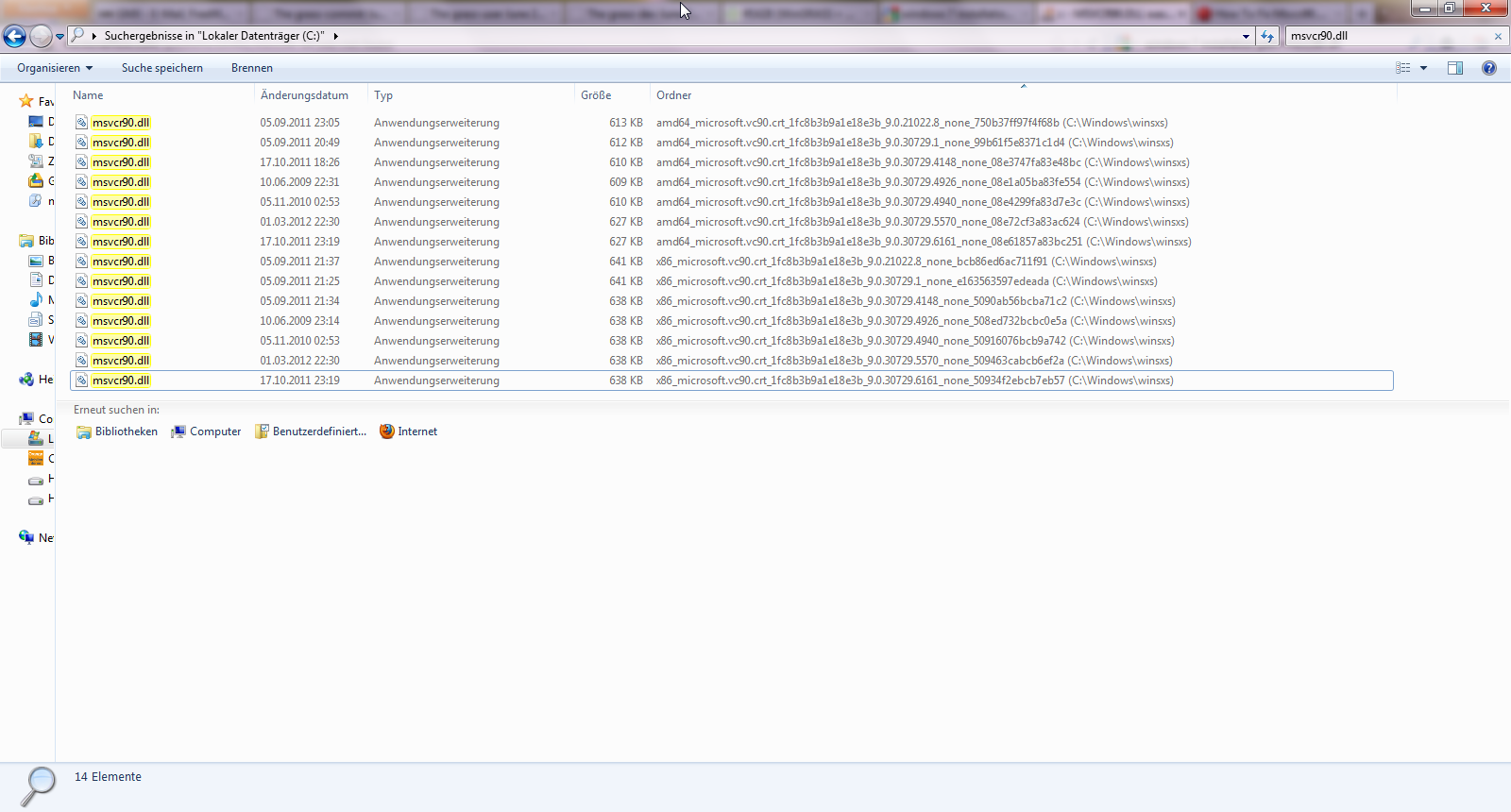
it seems it's not so easy for win7; it depends if other software packages have already installed msvcr:
see Side-by-side assembly (http://en.wikipedia.org/wiki/Winsxs) and attached screenshot for msvcr90.dll-search in the filesystem and local registry-scan for msvcr90.dll
Does 64 or 32 bit matter? (does Windows7 do 32 bit?)
it seems so (see screenshot and registry scan).
some more complications in future:
Breaking Changes in Visual C++ (http://msdn.microsoft.com/en-us/library/bb531344.aspx) Deployment in Visual C++ 2010 (http://msdn.microsoft.com/en-us/library/dd293574.aspx)
... the unexplainable windows-world ...
Helmut
comment:28 by , 12 years ago
Keeping this one at the 6.4.2 milestone as we shouldn't be shipping binaries now which are in violation.
thanks, Hamish
follow-up: 30 comment:29 by , 12 years ago
Replying to hellik:
Replying to jef:
Direct link: http://hub.qgis.org/projects/quantum-gis/repository/revisions/master/entry/ms-windows/osgeo4w/creatensis.pl
The GRASS NSIS installer could also download the msvcrt package on installation, untar it and run the postinstall.bat.
the related osgeo4w-msvcrt-package is downloadable from here: http://download.osgeo.org/osgeo4w/release/msvcrt/
The easiest and quickest solution might be:
- if DLLs are missing, wget/curl them from this address and install
- if wget/curl fails, tell the user to go there and fetch them
Why cannot we go this way for now?
follow-up: 31 comment:30 by , 12 years ago
Replying to neteler:
The easiest and quickest solution might be:
- if DLLs are missing, wget/curl them from this address and install
- if wget/curl fails, tell the user to go there and fetch them
Why cannot we go this way for now?
but how to test if the dlls are missing? supply a little test program and try to run it during install? robustly checking all of the registry entries?
if we can detect the dlls are missing, the only other consideration AFAIK is that it can't happen automatically -- i.e. it can't be presented to the end-user as a single product. Perhaps it just needs a page in the installer which says something like "this software needs ms's dlls to run and you don't seem to have them installed. if you would like to install them now, click here (fetches installer from an external site [url])". So they must take some positive action to install it as an OS upgrade.
Hamish
comment:31 by , 12 years ago
Replying to hamish:
but how to test if the dlls are missing? supply a little test program and try to run it during install? robustly checking all of the registry entries?
maybe helpful:
How can I programmatically determine if the Visual C++ Runtime 8.0 is installed?:
How to detect the presence of the Visual C++ 2010 redistributable package:
http://blogs.msdn.com/b/astebner/archive/2010/05/05/10008146.aspx
comment:33 by , 12 years ago
comment:34 by , 12 years ago
| Milestone: | 6.4.2 → 6.4.4 |
|---|---|
| Priority: | blocker → critical |
Changing milestone and priority...
follow-up: 40 comment:35 by , 11 years ago
| Milestone: | 6.4.4 → 6.4.3 |
|---|---|
| Priority: | critical → blocker |
This hasn't gone away and it can't be ignored -- it's a blocker because it's a license violation to ship non-GPL libraries alongside grass binaries. The MS redistributable dlls must be presented by the nsi installer as independent system libraries. It should be pretty easy, just add an extra "do you want to install these system libraries* from Microsoft?" page in the wingrass install wizard. To be totally clear, it should then download them from the internet the same way that the sample datasets get downloaded. Bonus points for figuring out the regedit key to see if they're already registered, but lacking that just plonking them in the grass binary extras dir as we do now should be better than nothing.
[*] these are magic words as far as the license is concerned
Hamish
follow-up: 38 comment:36 by , 11 years ago
follow-up: 39 comment:38 by , 11 years ago
Replying to hamish:
note missing MSCVP100.dll documented in #1877, which may be a new one not in the dll pack from gdal.org/tmp/ from a couple of years ago.
see also #1709.
if we now arrived at needed Visual C++ 2010 runtimes, maybe this could be a hint for how to detect by the nsis-standalone installer?
http://blogs.msdn.com/b/astebner/archive/2010/05/05/10008146.aspx
Unlike the Visual C++ 2005 and 2008 redistributable packages, there are registry keys that can be used to detect the presence of the Visual C++ 2010 redistributable package.
Visual C++ 2010 redistributable package detection registry values

    Visual C++ 2010 Redistributable Package (x86)

    [HKEY_LOCAL_MACHINE\SOFTWARE\Microsoft\VisualStudio\10.0\VC\VCRedist\x86]
    Installed = 1 (REG_DWORD)


    Visual C++ 2010 Redistributable Package (x64)

    [HKEY_LOCAL_MACHINE\SOFTWARE\Microsoft\VisualStudio\10.0\VC\VCRedist\x64]
    Installed = 1 (REG_DWORD)


    Visual C++ 2010 Redistributable Package (ia64)

    [HKEY_LOCAL_MACHINE\SOFTWARE\Microsoft\VisualStudio\10.0\VC\VCRedist\ia64]
    Installed = 1 (REG_DWORD)
can anyone test (not installed here on my win7-64bit-box)
Helmut
comment:39 by , 11 years ago
Replying to hellik:
Replying to hamish:
note missing MSCVP100.dll documented in #1877, which may be a new one not in the dll pack from gdal.org/tmp/ from a couple of years ago.
see also #1709.
if we now arrived at needed Visual C++ 2010 runtimes, maybe this could be a hint for how to detect by the nsis-standalone installer?
http://blogs.msdn.com/b/astebner/archive/2010/05/05/10008146.aspx
Unlike the Visual C++ 2005 and 2008 redistributable packages, there are registry keys that can be used to detect the presence of the Visual C++ 2010 redistributable package.
for the record some interesting notes from the dev-ML:
http://lists.osgeo.org/pipermail/grass-dev/2013-March/062459.html
[...] Realistically speaking, it will take a few more weeks for me to complete and test the build chain. We plan to release the resulting binaries with gvSIG CE 1.0 (which will ship with GRASS 6.4.3 as a geoprocessing backend). From that point forward, i.e. GRASS 6.4.4, it might be feasible to base GRASS Windows releases on the gvSIG CE build chain: no more pesky VC runtime DLLs!
Also, in case you are not using it yet: "Dependency Walker" is really helpful for locating DLL-related problems.
Helmut
follow-up: 41 comment:40 by , 11 years ago
Replying to hamish:
This hasn't gone away and it can't be ignored -- it's a blocker because it's a license violation to ship non-GPL libraries alongside grass binaries. The MS redistributable dlls must be presented by the nsi installer as independent system libraries. It should be pretty easy, just add an extra "do you want to install these system libraries* from Microsoft?" page in the wingrass install wizard. To be totally clear, it should then download them from the internet the same way that the sample datasets get downloaded.
How about downloading the latest package from
http://download.osgeo.org/osgeo4w/release/msvcrt/
upon user request?
The latest msvcrt still needs to be included by the osgeo4w packagers, though.
Markus M
Bonus points for figuring out the regedit key to see if they're already registered, but lacking that just plonking them in the grass binary extras dir as we do now should be better than nothing.
[*] these are magic words as far as the license is concerned
Hamish
follow-up: 42 comment:41 by , 11 years ago
Replying to mmetz:
How about downloading the latest package from
http://download.osgeo.org/osgeo4w/release/msvcrt/
upon user request?
... or simply always install it?
The latest msvcrt still needs to be included by the osgeo4w packagers, though.
Yes.
follow-up: 45 comment:42 by , 11 years ago
Replying to mmetz:
How about downloading the latest package from http://download.osgeo.org/osgeo4w/release/msvcrt/ upon user request?
that is exactly what's needed AFAIU. I think it just needs an extra [Yes,please][No,thanks] page at the end of the installer wizard with a download option like we already have for the sample datasets.
Replying to neteler:
... or simply always install it?
the "always install it" part is what's the violation. I think that we can/should make it very easy to be co-installed from a 3rd party (here osgeo4w, but also I think FrankW keeps one at gdal.org/tmp/) as a convince, but it has to be presented that way to the end-user as an independent "system library", not as a part of GRASS itself, and so the user has to instigate the install (by clicking [Yes]) themselves.
The frustrating thing is that Microsoft hasn't fixed this since W95 days by just including their own core dlls in OS updates... I can only guess why.
fun, Hamish
comment:43 by , 11 years ago
fwiw here is the "OS exemption" text of the GPL2 which we have to satisfy:
[...] However, as a
special exception, the source code distributed need not include
anything that is normally distributed (in either source or binary
form) with the major components (compiler, kernel, and so on) of the
operating system on which the executable runs, unless that component
itself accompanies the executable.

If distribution of executable or object code is made by offering
access to copy from a designated place, then offering equivalent
access to copy the source code from the same place counts as
distribution of the source code, even though third parties are not
compelled to copy the source along with the object code.
the key words here are unless that component itself accompanies the executable, which I read as: we clearly can't bundle it in our all-in-one grass_installer.exe download. After that what accompanies means is up to the lawyers to decide, but between the choices of automatically download & install vs. ask [Yes][No] then do it (or not), I'm more comfortable with the "user takes action" option, since then it was the user's decision not ours.
I don't think the second paragraph above is as relevant, but copied here in case someone else reads it differently.
fun, Hamish
comment:44 by , 11 years ago
"user takes action" option,
words count here, so make that read "user takes positive action".
by , 11 years ago
| Attachment: | grasspackager_nsis_msruntimes.diff added |
|---|
patch for nsis and grass-packager
follow-up: 48 comment:45 by , 11 years ago
| Version: | 6.4.1 → 6.4.3 RCs |
|---|
Replying to hamish:
I think it just needs an extra [Yes,please][No,thanks] page at the end of the installer wizard with a download option like we already have for the sample datasets.
are you sure? - regarding the mechanism behind the scene....
How about downloading the latest package from http://download.osgeo.org/osgeo4w/release/msvcrt/
upon user request?
the lastest msvcrt-1.0.1-7.tar.bz2 has following content:
 Verzeichnis von C:\dl\msvcrt\msvcrt-1.0.1-7

14.04.2013  21:25    <DIR>          .
14.04.2013  21:25    <DIR>          ..
14.04.2013  21:25    <DIR>          bin
14.04.2013  21:25    <DIR>          etc
with in \bin
14.04.2013  21:25    <DIR>          .
14.04.2013  21:25    <DIR>          ..
30.12.2010  21:58            45.056 dllupdate.exe
13.07.2005  03:50           401.462 msvcp60.dll
13.07.2005  03:50           487.424 msvcp70.dll
10.11.2005  23:48           499.712 msvcp71.dll
10.11.2005  23:48           348.160 msvcr71.dll
13.07.2005  03:50           343.040 msvcrt.dll
04.04.2012  18:08               312 o4w_env.bat
30.12.2010  21:58            53.248 textreplace.exe
14.11.2007  02:38         2.728.104 vcredist_2005_x86.exe
12.01.2009  21:24         4.216.840 vcredist_2008_x86.exe
19.03.2010  18:40         5.073.240 vcredist_2010_x86.exe
01.04.2005  15:01            49.152 xxmklink.exe
              12 Datei(en),     14.245.750 Bytes
               2 Verzeichnis(se), 253.179.424.768 Bytes frei
attached a patch for msvcrt-1.0.1-7.tar.bz2 (not tested yet cause no access to my build box at the moment) by executing only vcredist_2005_x86.exe, vcredist_2008_x86.exe, vcredist_2010_x86.exe
IMHO sorry I have really no idea which of these are really needed or maybe msvcp60.dll, msvcp70.dll, msvcp71.dll, msvcr71.dll, msvcrt.dll should also be added, it's out of my knowledge ...
follow-up: 51 comment:47 by , 11 years ago
follow-up: 58 comment:48 by , 11 years ago
Replying to hellik:
Replying to hamish:
I think it just needs an extra [Yes,please][No,thanks] page at the end of the installer wizard with a download option like we already have for the sample datasets.
are you sure? - regarding the mechanism behind the scene....
I just mean the technique using wget/curl or whatever it is behind the scenes to download from a URL, uncompress, and install it. (with nice checks if there is no network connection or the download fails for some other reason) Bonus would be md5sum checks on the downloaded file(s).
It seems taken care of by NSISdl::download and untgz::extract in your patch, thanks.
done by r55817
wording tweaked a little bit in r55819 to use the magic "system" library language.
The idea to put the d/l in its own page at the end of the installer wizard instead of with the sample dataset downloads was because I worry it might get clicked past by someone hitting Next Next Next Next and not paying attention, then they wonder why it doesn't work.
Another idea to avoid the registry key search- after figuring out which dlls are actually needed, we'd to compile a tiny program depending on them and have it run as part of the startup script and fail with a more informative error message (or, if we can't do much about the "this process ended" message, we can at least catch that it failed and the startup script continuing on from there sees the process return code and aborts with a more informative error message.) ?
Our next step seems to be some quality time spent exploring with Dependency Walker..
thanks for the patch! Hamish
follow-up: 59 comment:49 by , 11 years ago
Hamish:
Our next step seems to be some quality time spent exploring with Dependency Walker..
ok, done a bit of that, it seems that we need the full set of redistributables. A small sample from dragging the dlls into depends.exe:
libgrass_gis6.4.3snv.dll	req's  msvcrt.dll
libgrass_gis6.4.3snv.dll	req's  msvcp60.dll
zlib1.dll      	req's  msvcrt.dll
libpq.dll	req's  msvcrt.dll
libpq.dll	req's  msvcp60.dll
libpq.dll	req's  msvcr71.dll
libpq.dll	req's  msvcr80.dll
libxml2.dll	req's  msvcp60.dll
zlib_osgeo.dll 	req's  msvcr71.dll
proj.dll	req's  msvcr71.dll
tk85.dll	req's  msvcr90.dll
geotiff.dll	req's  msvcp90.dll
geos_c.dll	req's  msvcp100.dll
geos_c.dll	req's  msvcr100.dll
gdal19.dll	req's them all
 as does gdal18.dll and gdal15.dll
(what depends on gdal18.dll and gdal15.dll? can we leave them out saving 10mb?)
So even if Ben's osgeo4w toolchain were all compiled without MS Visual Studio, we'd still need the redistributables for PgSQL & co. which we aren't building ourselves.
msvcp60.dll and msvcrt.dll are in my C:\Windows\system32\ already, maybe they ship with Windows by default? (or maybe I installed them, dunno at this point)
many things would like to find MSJAVA.DLL, but it isn't there. But that's not a problem because it's called by MSHTML.DLL which can deal with it being missing. (see Dependency Walker FAQ)
As Helmut notes in the GRASS-Installer.nsi.tmpl text about the MSVC++ redist. pkg both python.exe and GDAL19.dll require MSVCP100.dll, this is the error I get on wxGUI startup on an old XP install:
python.exe - Unable To Locate Component
This application has failed to start because MSVCP100.dll was not found.
Re-installing the application may fix this problem.
[Ok]
g.region.exe, g.proj.exe, fail since they both depend on libgrass_gproj, which wants gdal19.dll, which wants msvcp100.dll.. that means the tcl/tk GUI also fails with:
g.proj or projection error: child killed: unknown signal
Error setting region (Problem with g.region?): child killed: unknown signal
Hamish
follow-up: 52 comment:50 by , 11 years ago
here's MS's download site for MSVCP100.dll,
http://www.microsoft.com/en-us/download/details.aspx?displaylang=en&id=5555
It installs to C:\windows\system32. It does not install the 71,80,90 dlls, they have to be installed separately.
Hamish
follow-ups: 53 54 57 comment:51 by , 11 years ago
Replying to hellik:
done by r55817
Hi,
tested with the latest nightly build of 6.5:
- 2010 installer runs ok. (repair mode since I already installed it)
- 2005 installer is in German, but runs ok.
- I didn't see anything about the 2008 installer.
- GRASS 6.5 startup fails badly since it can't find msvcr71.dll.
- As above, I think 71, 80, and 90 are needed, 60 and "t" may be in system32 already(?)
- 71 and earlier ones are in %USER%\Local Settings\Temp\install_msruntime\bin, but no 80, 90, and rerunning the 2008 installer there (repair mode for me since already installed) doesn't get me anything new AFAICT. (even after a reboot)
I think we need to request a new version of the osgeo4w package at:
which have the 80,90,100 dlls in it, then make sure they get copied to extralib/. That'll be needed for all other osgeo4w packages using gdal19.dll anyway.
(maybe running the installers isn't needed/doesn't seem to work anyway; on the otherhand I'm not sure if the msvcr files need to have the user be presented with the clickthrough license, or if you can just legally copy them where you like silently)
Hamish
comment:52 by , 11 years ago
Replying to hamish:
here's MS's download site for MSVCP100.dll,
http://www.microsoft.com/en-us/download/details.aspx?displaylang=en&id=5555
see https://trac.osgeo.org/grass/ticket/1428#comment:45
vcredist_2010_x86.exe should already be there
follow-up: 55 comment:53 by , 11 years ago
Replying to hamish:
tested with the latest nightly build of 6.5:
- 2010 installer runs ok. (repair mode since I already installed it)
ok
- 2005 installer is in German, but runs ok.
ok
- I didn't see anything about the 2008 installer.
?
- GRASS 6.5 startup fails badly since it can't find msvcr71.dll.
not copied yet, must be added to the nsis-script
- As above, I think 71, 80, and 90 are needed, 60 and "t" may be in system32 already(?)
see above
- 71 and earlier ones are in %USER%\Local Settings\Temp\install_msruntime\bin, but no 80, 90, and rerunning the 2008 installer there (repair mode for me since already installed) doesn't get me anything new AFAICT. (even after a reboot)
I think we need to request a new version of the osgeo4w package at:
maybe yes
which have the 80,90,100 dlls in it, then make sure they get copied to extralib/. That'll be needed for all other osgeo4w packages using gdal19.dll anyway.
(maybe running the installers isn't needed/doesn't seem to work anyway; on the otherhand I'm not sure if the msvcr files need to have the user be presented with the clickthrough license, or if you can just legally copy them where you like silently)
no idea
follow-up: 56 comment:54 by , 11 years ago
Replying to hamish:
(maybe running the installers isn't needed/doesn't seem to work anyway; on the otherhand I'm not sure if the msvcr files need to have the user be presented with the clickthrough license, or if you can just legally copy them where you like silently)
I've just seen in
msvcrt-1.0.1-7\etc\postinstall\msvcrt.bat
"%OSGEO4W_ROOT%\bin\vcredist_2005_x86.exe" /q
if errorlevel 3010 echo>%OSGEO4W_ROOT%\etc\reboot
del "%OSGEO4W_ROOT%\bin\vcredist_2005_x86.exe"

"%OSGEO4W_ROOT%\bin\vcredist_2008_x86.exe" /q
if errorlevel 3010 echo>%OSGEO4W_ROOT%\etc\reboot
del "%OSGEO4W_ROOT%\bin\vcredist_2008_x86.exe"

"%OSGEO4W_ROOT%\bin\vcredist_2010_x86.exe" /q
if errorlevel 3010 echo>%OSGEO4W_ROOT%\etc\reboot
del "%OSGEO4W_ROOT%\bin\vcredist_2010_x86.exe"
?
comment:55 by , 11 years ago
Replying to hellik:
- I didn't see anything about the 2008 installer.
?
should be executed...
	untar_ok:
	; execute also vcredist_2005_x86.exe ?
	Exec  "$TEMP\$ORIGINAL_UNTAR_FOLDER\bin\vcredist_2005_x86.exe"
	; execute also vcredist_2008_x86.exe ?
	Exec  "$TEMP\$ORIGINAL_UNTAR_FOLDER\bin\vcredist_2008_x86.exe"
	Exec  "$TEMP\$ORIGINAL_UNTAR_FOLDER\bin\vcredist_2010_x86.exe"
	Delete "$TEMP\$ARCHIVE_NAME"
	Delete "$TEMP\$ORIGINAL_UNTAR_FOLDER"
	Goto end
comment:56 by , 11 years ago
Replying to hellik:
Replying to hamish:
(maybe running the installers isn't needed/doesn't seem to work anyway; on the otherhand I'm not sure if the msvcr files need to have the user be presented with the clickthrough license, or if you can just legally copy them where you like silently)
I've just seen in
msvcrt-1.0.1-7\etc\postinstall\msvcrt.bat
"%OSGEO4W_ROOT%\bin\vcredist_2005_x86.exe" /q
if errorlevel 3010 echo>%OSGEO4W_ROOT%\etc\reboot
del "%OSGEO4W_ROOT%\bin\vcredist_2005_x86.exe"

"%OSGEO4W_ROOT%\bin\vcredist_2008_x86.exe" /q
if errorlevel 3010 echo>%OSGEO4W_ROOT%\etc\reboot
del "%OSGEO4W_ROOT%\bin\vcredist_2008_x86.exe"

"%OSGEO4W_ROOT%\bin\vcredist_2010_x86.exe" /q
if errorlevel 3010 echo>%OSGEO4W_ROOT%\etc\reboot
del "%OSGEO4W_ROOT%\bin\vcredist_2010_x86.exe"
?
/q ... quiet modus, no status bar, no user interaction /passive ...status bar, no user interaction
comment:57 by , 11 years ago
Replying to hamish:
new patch committed
- GRASS 6.5 startup fails badly since it can't find msvcr71.dll.
now all *.dll from msvcrt-1.0.1-7\bin are installed/copied in \extralib
(maybe running the installers isn't needed/doesn't seem to work anyway; on the otherhand I'm not sure if the msvcr files need to have the user be presented with the clickthrough license, or if you can just legally copy them where you like silently)
changed to quiet mode
comment:58 by , 11 years ago
Replying to hamish:
The idea to put the d/l in its own page at the end of the installer wizard instead of with the sample dataset downloads was because I worry it might get clicked past by someone hitting Next Next Next Next and not paying attention, then they wonder why it doesn't work.
... a first attempt to fix this ... no really time here on my side at the moment to get closer to this ... any extra help welcomed ...
Another idea to avoid the registry key search- after figuring out which dlls are actually needed, we'd to compile a tiny program depending on them and have it run as part of the startup script and fail with a more informative error message (or, if we can't do much about the "this process ended" message, we can at least catch that it failed and the startup script continuing on from there sees the process return code and aborts with a more informative error message.) ?
... a tiny program/test would be nice ... any hints?
comment:59 by , 11 years ago
Replying to hamish:
libgrass_gis6.4.3snv.dll	req's  msvcrt.dll
libgrass_gis6.4.3snv.dll	req's  msvcp60.dll
zlib1.dll      	req's  msvcrt.dll
libpq.dll	req's  msvcrt.dll
libpq.dll	req's  msvcp60.dll
libpq.dll	req's  msvcr71.dll
libpq.dll	req's  msvcr80.dll
libxml2.dll	req's  msvcp60.dll
zlib_osgeo.dll 	req's  msvcr71.dll
proj.dll	req's  msvcr71.dll
tk85.dll	req's  msvcr90.dll
geotiff.dll	req's  msvcp90.dll
geos_c.dll	req's  msvcp100.dll
geos_c.dll	req's  msvcr100.dll
gdal19.dll	req's them all
 as does gdal18.dll and gdal15.dll
... it's more than a dll hell ;o)
(what depends on gdal18.dll and gdal15.dll? can we leave them out saving 10mb?)
...backward compatibility (know idea for what exactly, a osgeo4w-revamp may be on the way)... gdal 1.10 it's on its way ... maybe better just to wait for settling down...
Helmut
comment:60 by , 11 years ago
I didn't see anything about the 2008 installer.
(it was there, I must have clicked past it)
I'm not sure where/what files those three installers actually provide. How to access the install/uninstall file manifest? (searching for the 80 and 90 dlls, I don't see them)
I tried to make the d/l option more urgent sounding, maybe we could add another page with another warning and a chance to go back if the user decided not to install them? Without them the startup failure is really ugly.
compile a tiny program depending on them and have it run as part of the startup script and fail with a more informative error message
... a tiny program/test would be nice ... any hints?
(no idea)
(what depends on gdal18.dll and gdal15.dll? can we leave them out saving 10mb?)
...backward compatibility
? I wonder if there's a way to batch run the Dependency Walker program
to dump to a file so we can do grep | cut | sort | uniq to see what
ones are really needed. I suspect the above aren't any more.
Hamish
follow-ups: 62 63 comment:61 by , 11 years ago
Tested ok on Win8. Please backport to relbranch64.
Question: Is there a potential race condition during installation of DLL package while the winGRASS package already offers the "Next" button? Could winGRASS wait for the DLL redistribuition package installation to complete?
comment:62 by , 11 years ago
Replying to neteler:
Question: Is there a potential race condition during installation of DLL package while the winGRASS package already offers the "Next" button? Could winGRASS wait for the DLL redistribuition package installation to complete?
yes
from the nsis-manual http://nsis.sourceforge.net/Docs/Chapter4.html
4.9.1.4 ExecWait

command [user_var(exit code)]

Execute the specified program and wait for the executed process to quit. See Exec for more information. If no output variable is specified ExecWait sets the error flag if the program executed returns a nonzero error code, or if there is an error. If an output variable is specified, ExecWait sets the variable with the exit code (and only sets the error flag if an error occurs; if an error occurs the contents of the user variable are undefined). Note, if the command could have spaces, you should put it in quotes to delimit it from parameters. e.g.: ExecWait '"$INSTDIR\command.exe" parameters'. If you don't put it in quotes it will not work on Windows 9x with or without parameters.

ExecWait '"$INSTDIR\someprogram.exe"'
ExecWait '"$INSTDIR\someprogram.exe"' $0
DetailPrint "some program returned $0"
should we switch to ExecWait?
follow-up: 64 comment:63 by , 11 years ago
| Priority: | blocker → major |
|---|
Replying to neteler:
Tested ok on Win8. Please backport to relbranch64.
ported to relbranch64 and g7 by r55878 - r55881
Question: Is there a potential race condition during installation of DLL package while the winGRASS package already offers the "Next" button? Could winGRASS wait for the DLL redistribuition package installation to complete?
avoid race condition done by r55877
reducing priority but let ticket opened because further testing needed.
comment:64 by , 11 years ago
comment:65 by , 11 years ago
I still wonder if failure to select the box for installing the redistributables should trigger an extra page in the installer wizard offering the user the chance to go back and change their mind, or else it might not work. It's easy to click past..
I tried to move the "[ ] Important Microso..." to the # 2 position above the sample data sets via the "Section Descriptions" list, but that didn't do it. maybe the entire Function+Section needs to be moved higher up in the installer script?
I don't see the 80,90 dlls installed anywhere, perhaps these will fail:
libpq.dll	req's  msvcr80.dll
tk85.dll	req's  msvcr90.dll
geotiff.dll	req's  msvcp90.dll
(just a sample, probably others too)
?
(and I'm still not sure what files & where the 2005 and 2008 .exe installers install. It probably doesn't hurt, but AFAICT the ones we need are just copied directly to extralib from the tarball, plus the 100.dlls from the 2010.exe installer)
thanks, Hamish
follow-up: 68 comment:66 by , 11 years ago
"Important" now moved to the # 2 spot.
Still to do are:
- to either ship or rule out *80.dll and *90.dll;
- consider to add an extra page / pop-up warning if the user didn't select to install;
- Test from a completely fresh install of Windows
- I'm curious what files the 2005,2008 .exe installers actually install. Is there a human-readable manifest somewhere?
comment:67 by , 11 years ago
Also todo:
- figure out what happens and provide instructions (or a workaround, or support) for users who need to use a proxy server (possibly with name and pw) to connect to the internet to download the files. maybe there's a standard tool with NSIS for dealing with that.
Hamish
follow-up: 69 comment:68 by , 11 years ago
Replying to hamish:
"Important" now moved to the # 2 spot.
Still to do are:
- to either ship or rule out *80.dll and *90.dll;
- consider to add an extra page / pop-up warning if the user didn't select to install;
- Test from a completely fresh install of Windows
- I'm curious what files the 2005,2008 .exe installers actually install. Is there a human-readable manifest somewhere?
recently there was a update (http://download.osgeo.org/osgeo4w/release/msvcrt/):
msvcrt-1.0.1-7.tar.bz2 -> msvcrt-1.0.1-8.tar.bz2
comparison of the content:
msvcrt-1.0.1-7.tar\msvcrt-1.0.1-7\bin>dir /b > log.txt

dllupdate.exe
msvcp60.dll
msvcp70.dll
msvcp71.dll
msvcr71.dll
msvcrt.dll
o4w_env.bat
textreplace.exe
vcredist_2005_x86.exe
vcredist_2008_x86.exe
vcredist_2010_x86.exe
xxmklink.exe
msvcrt-1.0.1-8\bin>dir /b > log.txt

dllupdate.exe
msvcp60.dll
msvcp70.dll
msvcp71.dll
msvcr71.dll
msvcrt.dll
o4w_env.bat
textreplace.exe
vcredist_2005_x86.exe
vcredist_2008_x86.exe
vcredist_2010_x86.exe
xxmklink.exe
should we also update the winGRASS-installer-script?
comment:69 by , 11 years ago
Replying to hellik:
recently there was a update (http://download.osgeo.org/osgeo4w/release/msvcrt/):
msvcrt-1.0.1-7.tar.bz2 -> msvcrt-1.0.1-8.tar.bz2
comparison of the content:
...
should we also update the winGRASS-installer-script?
I'm trying to play spot-the-difference with those two lists, but I'm not seeing any. Is there any changelog with the package, or do we know who made the change? (perhaps part of the osgeo4w GSoC student's improved license-handling work?)
For my 2c I'd stick with the known-working version of everything for the pending release, unless we know that the new version fixes some serious bug in coding or legal issue.
Hamish
follow-up: 71 comment:70 by , 11 years ago
Hi, I heard back from Jürgen who made the change:
Installation of the vc2005 runtime wasn't working with 2-byte characters in the username. See http://hub.qgis.org/issues/8197
hellik wrote:
should we also update the winGRASS-installer-script?
yes, I think so.
thanks, Hamish
comment:71 by , 11 years ago
Replying to hamish:
Hi, I heard back from Jürgen who made the change:
Installation of the vc2005 runtime wasn't working with 2-byte characters in the username. See http://hub.qgis.org/issues/8197
hellik wrote:
should we also update the winGRASS-installer-script?
yes, I think so.
comment:72 by , 10 years ago
| Resolution: | → fixed |
|---|---|
| Status: | new → closed |
as delivering Microsoft Visual C++ Redistributable now since nearly a year, closing ticket, reopen if needed.



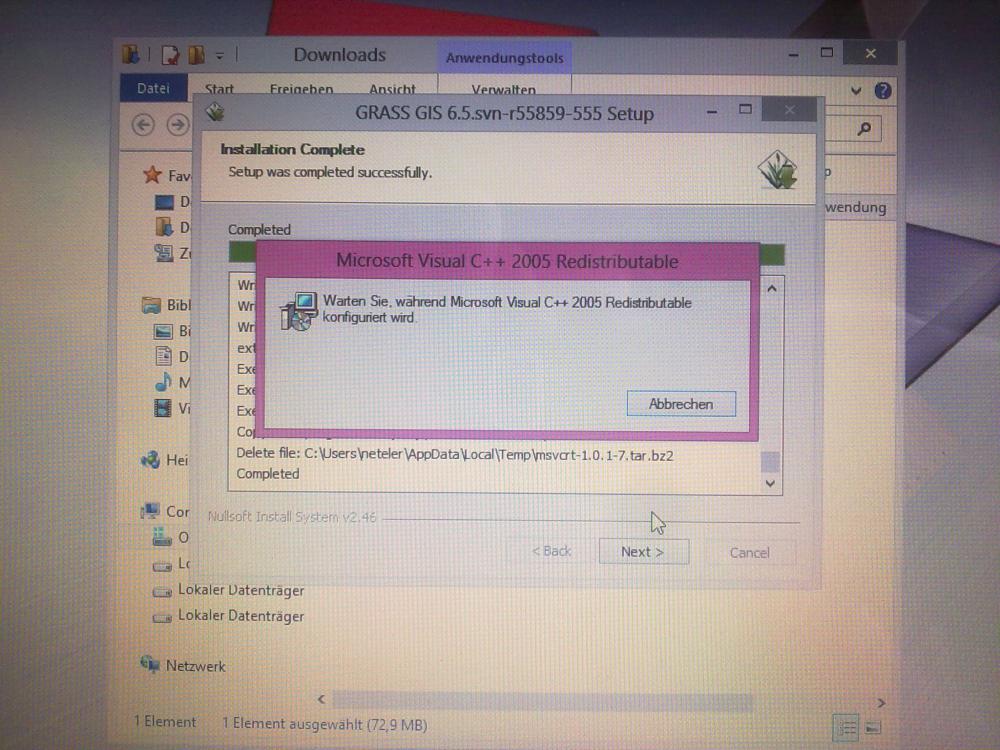
more detailed description of problem