| Version 1 (modified by , 15 years ago) ( diff ) |
|---|
How to run GeoNetwork using embedded Jetty under Eclipse ?
- create a Java project
- svn co https://geonetwork.svn.sourceforge.net/svnroot/geonetwork/trunk in your new Java project
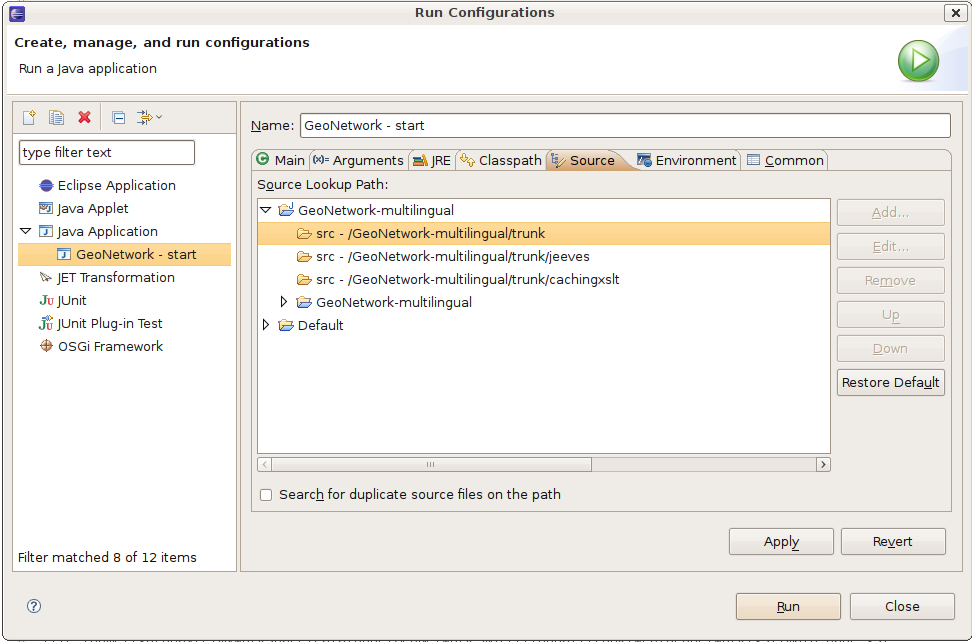
- define the following directory as source directory
- src
- jeeves/src
- cachingxslt/src
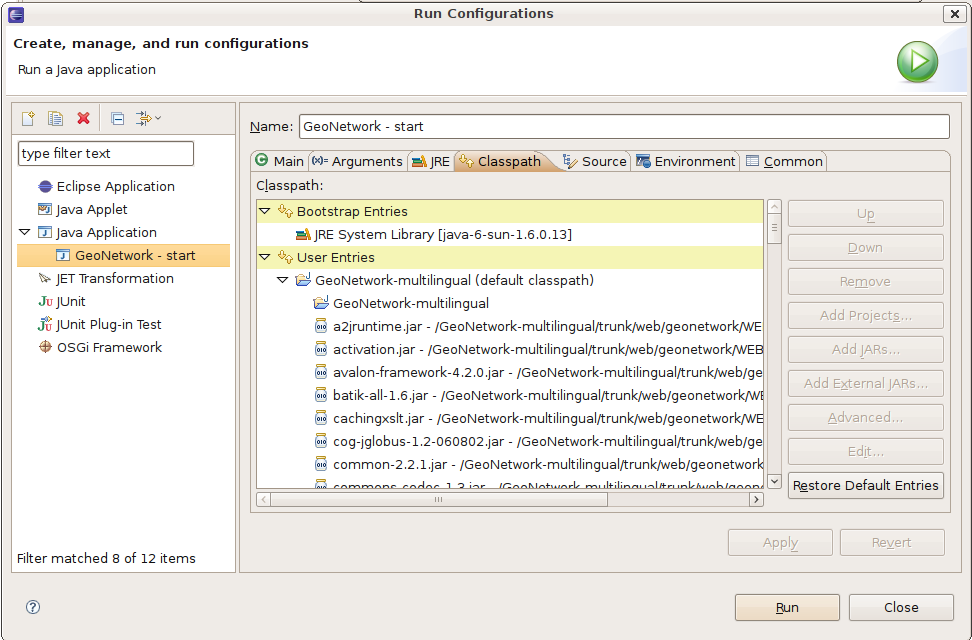
- add the lib in your project build path
- web/geonetwork/WEB-INF/lib/*.jar
- web/intermap/WEB-INF/lib/*.jar
- jetty/lib//*.jar
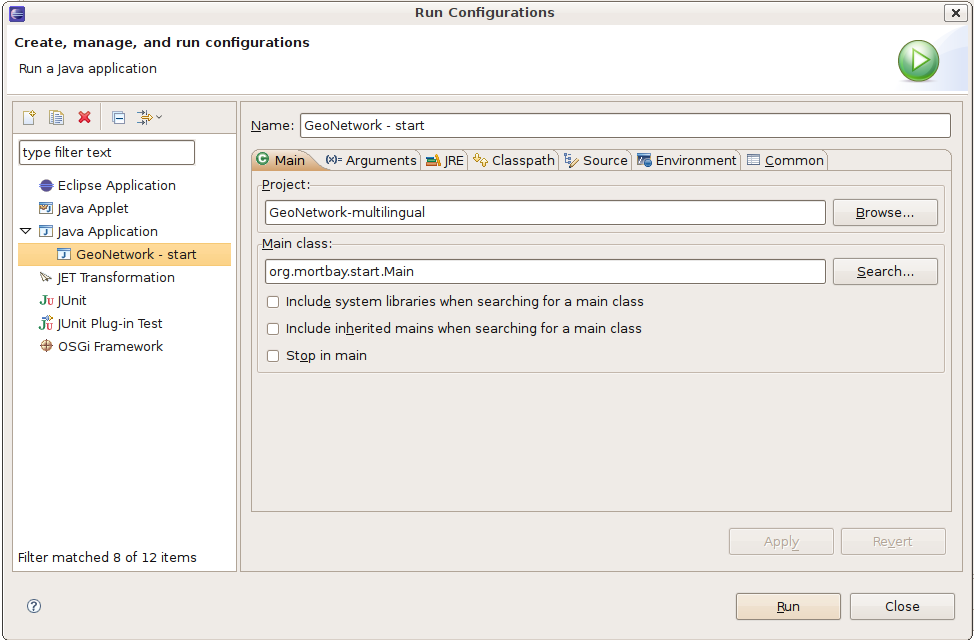
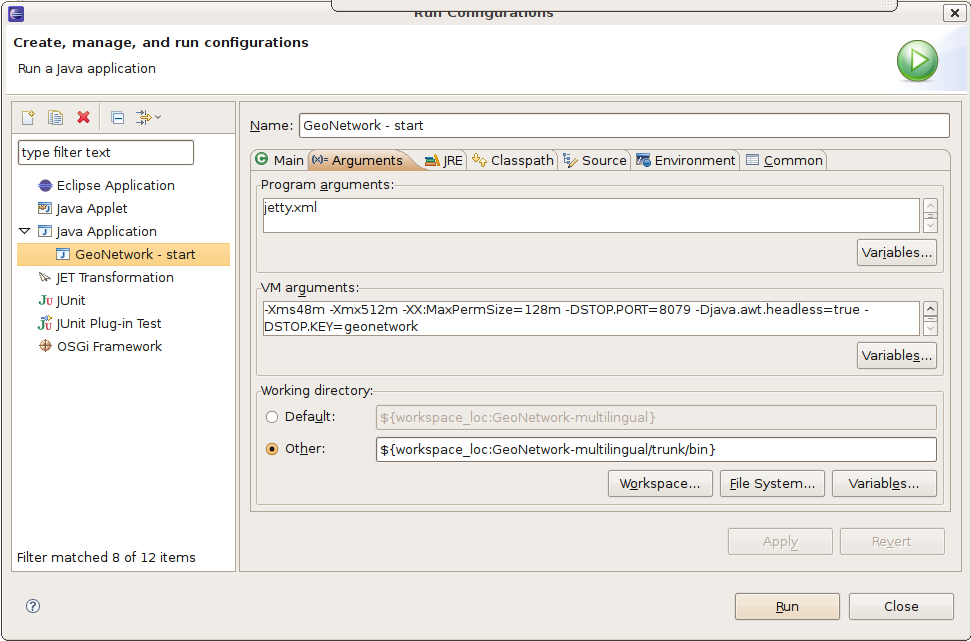
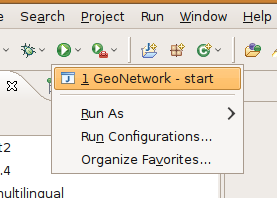
- click on "Run configuration ..."
- add a new "Java Application"
Attachments (5)
- run-config-1.png (59.9 KB ) - added by 15 years ago.
- run-config-2.png (74.0 KB ) - added by 15 years ago.
- run-config-3.png (99.0 KB ) - added by 15 years ago.
- run-config-4.png (70.6 KB ) - added by 15 years ago.
- run-config-start.png (13.4 KB ) - added by 15 years ago.
Download all attachments as: .zip
Note:
See TracWiki
for help on using the wiki.